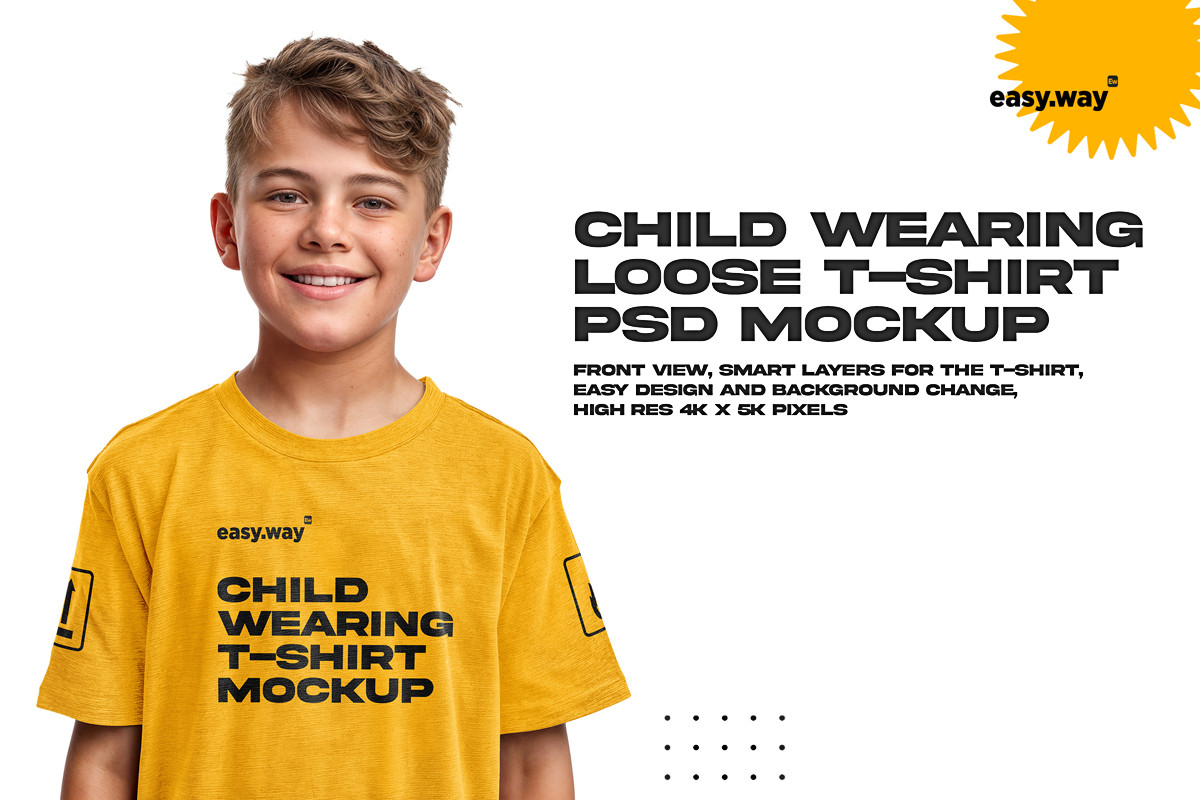
Boy Wearing T-Shirt PSD Mockup




Features
- 4000 х 5000 px
- 3 smart layers for design
- Sample design is not included
- Simple structure
- Please look at the previews for details or feel free to ask questions
How to work
Open the file. Choose the folder CHANGE YOUR DESIGN and click. Choose layer for design adding (sleeve or front of the T-shirt) and click twice. Drag your design into the opened document. Save and close. See the result! You can change the opacity of LIGHTS and SHADOWS layers, making the T-shirt lighter or darker. The BACKGROUND color can be changed to any color you like.
Your attribution is very appreciated! Please, give us a positive review if you like the product. Feel free to contact us if you need a custom mockup.
Please sign to comment this item.
Report This Item
Please sign in to report this item.
 easy-way


 UnioCs